
TL;DR:
- A good AI call transcription and summary system texts you who called, what they wanted, and how urgent it is — within about a minute, not batched overnight.
- The pipeline is two separate jobs: speech-to-text software converts the audio, then a language model pulls out the name, request, and urgency and writes the short version.
- AI can transcribe a call in real time (like meeting-transcription tools) or after it ends — after-the-call is simpler, needs less compute, and is what most small business owners actually need.
- Call recording consent laws vary by state — some require every party's permission — so the AI answering system needs a spoken disclosure, not just a fine-print policy.
- Cheap transcription tools fail on trade jargon, job-site noise, and multi-brand phone lines, mislabeling calls in ways that cost you actual jobs.
- AI has already replaced manual note-taking for routine business calls; human transcriptionists are still standard for depositions, medical records, and broadcast captioning.
- Most AI answering tools bill monthly per number or per brand; a one-time-purchase system avoids that stacking cost as you add lines.
Table of Contents
- What "AI Call Transcription and Summary" Actually Means for a Trades Business
- How a Phone Call Turns Into a Text You Can Read in Ten Seconds
- What Should Actually Show Up in the Text Message
- Transcript, Summary, and Recording: Three Different Tools
- Real-Time vs. After-the-Call: Two Different Ways AI Transcribes a Phone Call
- Where AI Call Summaries Show Up Beyond the Trades
- The Legal Line Most Owners Don't Know They're Near
- Speed Is the Whole Point: When the Summary Should Reach You
- Where Cheap Transcription Tools Fall Apart
- Where Humans Still Beat AI: Will Transcriptionists Be Replaced?
- The Subscription Trap Behind Most "AI Answering" Tools
- Where Answello Fits
- Frequently Asked Questions
- Sources
AI call transcription and summary for business owners is the difference between a missed call disappearing into voicemail and that same call turning into a text on your phone telling you who called, what they wanted, and whether it's worth calling back before you finish the job you're on. The real distinction isn't transcription accuracy — most services get that right now. It's speed: whether the summary reaches you in under a minute, or sits in a dashboard you check once a week, by which point the caller already hired someone else. The examples below focus on trades businesses running multiple brands off shared lines, because that's the hardest version of this problem to solve well — but the same two-stage pipeline runs under sales teams, front desks, and intake lines in plenty of other industries too.
What "AI Call Transcription and Summary" Actually Means for a Trades Business
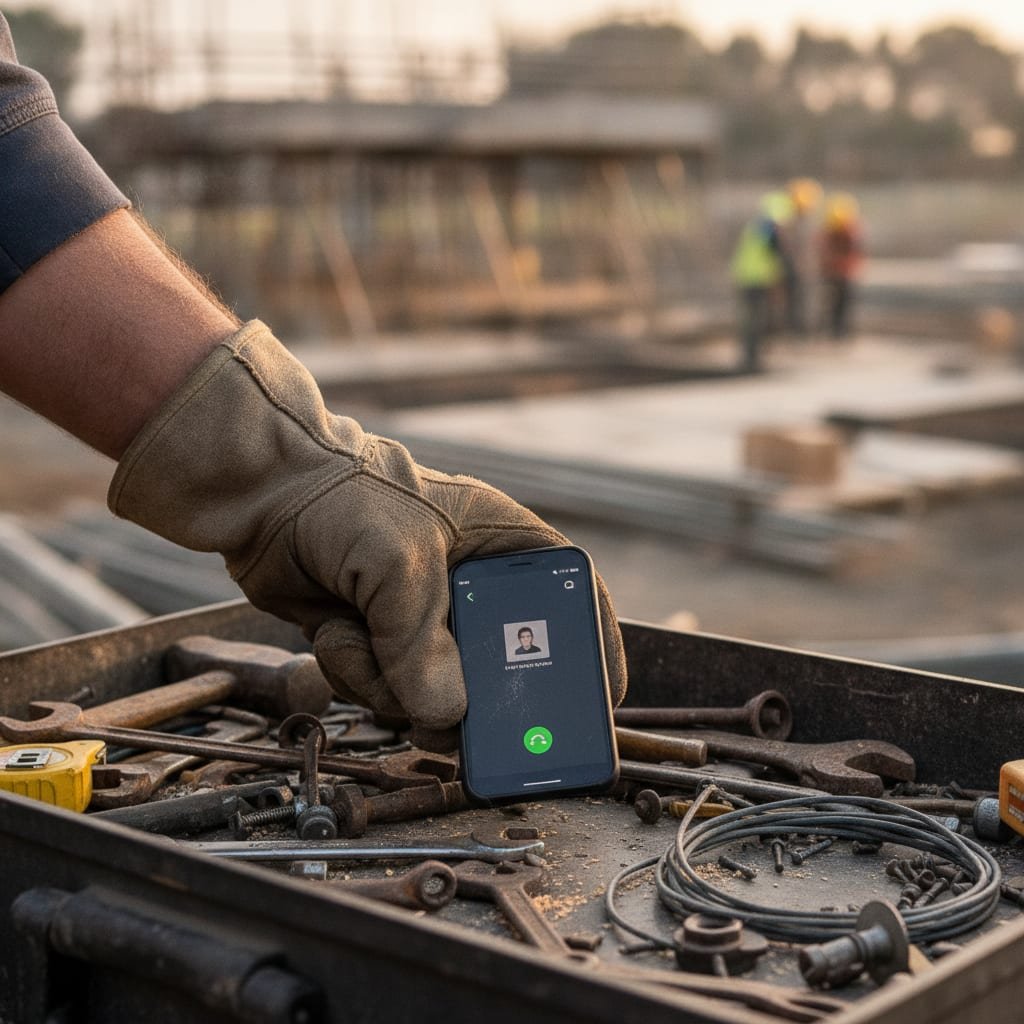
For a plumber, electrician, or HVAC contractor running two or three brands off shared phone numbers, this isn't a call-center feature bolted on for compliance. It's the mechanism that turns a call you couldn't take — because you were under a sink or up a ladder — into information you can act on in the next five minutes. The transcription is the raw material. The summary is the part that actually saves the job: a text that says a name, a number, a problem, and how bad it sounds.
Owners who evaluate these systems by asking "does it transcribe accurately?" are asking the wrong question. Ask instead: does it decide, correctly, which of the twenty words the caller said actually matter? A caller who says "my water heater's been making a weird noise for like a week, no rush" needs a very different summary than one who says "basement's flooding, I need someone now." Both are transcribable. Only one system tells the two apart.
How a Phone Call Turns Into a Text You Can Read in Ten Seconds
The process runs in two distinct stages, handled by two different kinds of software, and understanding the split explains why some tools are fast and others are slow and generic.
Speech Recognition Does the Listening
An automatic speech recognition model — the same category of technology as OpenAI's Whisper or Google's Speech-to-Text — converts the audio waveform into raw text as the call happens or immediately after. This stage handles accents, background noise, and cross-talk. It produces a literal transcript: everything said, in order, with no judgment about what mattered.
A Language Model Extracts What You Actually Need
The raw transcript then goes through a second pass that identifies entities and intent: the caller's name, their callback number, the service they're asking for, any words signaling urgency, and which business line the call came in on if you run more than one. This is the stage that turns forty seconds of rambling into two lines of text. It's also the stage where quality varies most — a system trained on your trade's vocabulary will catch "no hot water" or "breaker keeps tripping" as urgent; a generic model trained on retail customer service often won't.
What Should Actually Show Up in the Text Message
- Caller name and number. Pulled from caller ID and cross-checked against what they said, so you're not guessing who "John" is when three Johns called this week.
- The job they want done. A specific line — "leaking pipe under kitchen sink" — not a placeholder like "customer inquiry."
- Urgency signals. Words like "flooding," "no heat," or "today" flagged so an emergency call doesn't sit behind three quote requests in your inbox.
- Which brand or number rang. Essential if you operate multiple businesses off shared lines — a summary that doesn't say which brand is only half useful.
- A callback window, if mentioned. If the caller said "I'm free after 3," that detail should survive into the summary, not just the transcript.
- A tone or sentiment flag, where supported. Some systems separate a caller who sounds frustrated or upset from one who sounds calm about the same request — useful for deciding whether you call back yourself or send an estimate first.
Transcript, Summary, and Recording: Three Different Tools
These three outputs get lumped together as "AI call handling," but they serve different moments and none of them substitutes for the others.
| Format | What it is | When you'd actually use it |
|---|---|---|
| Transcript | Full text of everything said, in order, usually keyword-searchable | Settling a dispute about what was promised, or searching past calls for a specific detail |
| Summary | Two to four lines: caller, request, urgency | Deciding whether to call back in the next five minutes |
| Recording | The original audio | Training staff, reviewing tone, or legal record-keeping |
Some platforms also push the transcript directly into a CRM record or auto-generate a follow-up task instead of just texting a person. That's useful if you've got a dispatcher or a small office team routing calls; it's overkill if you're a single owner who just needs the text between jobs.
Real-Time vs. After-the-Call: Two Different Ways AI Transcribes a Phone Call
Can AI transcribe a call? Yes — and it can do it two different ways, and the difference matters more than most comparisons let on. Real-time transcription processes audio as the call happens, the way meeting-transcription tools display a scrolling transcript during a sales call. After-the-call transcription processes the recording once the call ends, typically within seconds to a couple of minutes.
The obvious assumption is that real-time is the more advanced, more useful option. For a trades business fielding missed calls, that's usually backwards. Real-time transcription requires the system to be actively listening and processing throughout the entire call, which takes more compute, tighter integration with the phone system, and a spoken disclosure that has to play before the conversation starts — not get logged afterward. After-the-call transcription only needs the finished recording, so it works with phone setups that were never built with AI in mind, and it's simpler to deploy and cheaper to run. The trade-off: nobody gets a live transcript scrolling on-screen mid-call. For an owner deciding whether to call someone back, that's rarely a loss — the value was always the summary that lands after the call ends, not a live feed nobody's watching while they're mid-repair.
Where AI Call Summaries Show Up Beyond the Trades
The two-stage pipeline described above isn't trade-specific — it's just easiest to explain with a plumber as the example. The same mechanics show up across other businesses, with the extracted fields changing to match what matters in that context:
- Sales teams: objections and next steps pulled into CRM notes instead of a rep typing them up after every call.
- Medical and dental front desks: appointment requests and insurance mentions flagged separately from routine scheduling calls.
- Legal intake: new case inquiries flagged by deadline language, so an intake line doesn't sit unread over a weekend.
- Real estate: showing requests and offer mentions surfaced ahead of general questions.
- General customer service: complaint calls flagged by sentiment so escalations don't wait behind routine tickets.
The underlying question is the same everywhere: which words in this call actually matter, and who needs to see them in the next five minutes.
The Legal Line Most Owners Don't Know They're Near
Call recording consent law is not federal — it's set state by state, and the rules split into two camps. Some states allow recording if just one party (you) consents. Others require every party on the call to agree, which means your AI answering system needs to say something like "this call may be recorded" before the conversation starts, not bury it in a privacy policy nobody reads. This matters more if you're using real-time transcription rather than after-the-call processing: the disclosure has to play before anyone starts talking, since there's no gap between the call happening and the AI processing it. The Reporters Committee for Freedom of the Press maintains a state-by-state guide to these consent rules, and it's worth five minutes if you've never checked which category your state falls into. Any legitimate AI call system should build the disclosure into the greeting automatically — you shouldn't have to remember to configure it.
Speed Is the Whole Point: When the Summary Should Reach You
A transcript that arrives the next morning is a record. A transcript that arrives in ninety seconds is a second chance at the job. The value of AI call transcription and summary collapses almost entirely if the delivery is slow, because the caller isn't waiting — they're already dialing the next number on the list. The benchmark worth holding any system to is simple: summary text on your phone before you'd have finished listening to the voicemail yourself.
Run the math on your own call volume: at roughly 15 missed calls a day, a summary that takes 10 seconds to read versus a voicemail that takes 60–90 seconds to listen to and mentally parse works out to somewhere around 15–20 minutes back in a day — not because the AI transcribes faster than you listen, but because you stop replaying messages to catch the callback number the second time.
Pro Tip: During setup, feed the system transcripts from a week of your own real missed calls rather than accepting the default script untouched. A system trained on how your actual callers talk — "a rough-in," "a call-out fee," "the unit that's short-cycling" — picks up trade shorthand within days. One trained only on a generic script keeps mislabeling routine jobs as unclear requests for months.
Where Cheap Transcription Tools Fall Apart
- Trade jargon. Generic transcription models trained on retail or general customer service don't reliably catch terms like "backflow preventer" or "capacitor start," so summaries flatten specific requests into vague ones.
- Job-site background noise. Compressors, saws, and traffic degrade transcription accuracy fast — a system tested only in quiet call centers often falls apart on calls received while you're mid-job.
- Multiple brands on one number. If you run more than one business, a tool that doesn't clearly separate which brand the caller reached will mislabel calls, and you'll waste time figuring out which business actually needs the callback.
- Fast speech and strong accents. Accuracy drops noticeably here across most consumer-grade tools, which matters more in trades than in office settings because callers are often stressed or in a hurry.
- Marketing-benchmark accuracy claims. Vendors often quote accuracy in the high-90s percent, but that figure is usually measured on clean, studio-quality audio — a benchmark that tells you almost nothing about a call taken on a job site with a compressor running in the background.
Where Humans Still Beat AI: Will Transcriptionists Be Replaced?

Not evenly, and not everywhere. For routine business calls — missed-call summaries, sales notes, customer service tickets — AI has already replaced the person who used to type those up by hand, because the bar for "good enough" here is speed and searchability, not verbatim-perfect accuracy. Nobody is manually transcribing a call about a leaking pipe anymore.
For contexts where the transcript itself is the legal or medical record — court depositions, IEP meetings, live broadcast captioning — human transcriptionists and captioners are still the standard, because an error carries legal or regulatory weight and heavy accents, overlapping speech, and specialized terminology still trip up even strong models. The U.S. Bureau of Labor Standards continues to track court reporters and simultaneous captioners as a distinct occupation, with AI increasingly used as a first-pass draft that a human then corrects rather than a full replacement. For a business owner, the practical takeaway is: AI has already taken over the informal note-taking version of this job; humans still own the version where the transcript itself has to hold up.
The Subscription Trap Behind Most "AI Answering" Tools
Most AI call answering products are sold as software subscriptions — a monthly fee per phone number, sometimes a separate fee per additional brand or location. That model scales badly for a small operator who might run two or three numbers: the monthly cost multiplies even though the underlying work (answer the call, transcribe it, text a summary) doesn't get three times harder. If you're comparing options, it's worth reading how to avoid monthly SaaS fees for call answering before signing up for anything billed per seat or per number — the math changes considerably once you're running more than one line.
Where Answello Fits
Answello is built around the one-time-purchase model instead of the recurring one: a $399 do-it-yourself package for owners who want to set it up themselves, or an $895 fully configured package with a custom script written for your business, both one-time payments rather than monthly charges. Multi-brand and multi-number support runs under that same single payment, which matters if the subscription math above is exactly the problem you're trying to avoid. An optional $119-a-month maintenance plan exists for owners who want ongoing tuning and script adjustments, and it can be cancelled anytime — but the core system doesn't require it to keep working, and every missed call still gets a transcript and summary texted straight to your phone.
Frequently Asked Questions
Can AI create a summary of phone calls?
Yes — this is the core function this article describes. A speech-to-text model transcribes the raw audio first, then a language model reads that transcript and extracts the caller's name, request, and urgency into a two-to-four-line summary. The summary is a separate step from the transcript, built by a different kind of model, not just a shorter version of the same output.
Will transcriptionists be replaced by AI?
For routine business calls, largely yes already — AI handles missed-call summaries, sales notes, and customer service transcripts faster and cheaper than a person typing them up. For legal depositions, medical records, and live broadcast captioning, human transcriptionists and captioners are still standard, because the transcript itself carries legal weight and heavy accents or overlapping speech still trip up models. AI increasingly does the first-pass draft in those settings, with a human correcting it, rather than replacing the role outright.
Can AI transcribe a call?
Yes, two ways: in real time as the call happens (the way meeting-transcription tools work), or after the fact by processing the recording once the call ends, usually within seconds to a couple of minutes. Real-time transcription needs more compute and a disclosure that plays before the conversation starts; after-the-call transcription is simpler and is what most small business owners actually need for missed-call handling.
Can AI summarize a transcript?
Yes — this is the second of two stages. Once speech-to-text produces the raw transcript, a language model reads it and pulls out entities: name, callback number, request, and urgency, and writes the short version. The two stages use different models built for different jobs, which is why a system can transcribe perfectly and still write a bad summary if the second stage isn't tuned to what actually matters in your calls.
Do I need caller consent to record and transcribe business calls?
It depends on your state. Some states only require one party's consent (yours), while others require every party to agree, meaning your system needs a spoken disclosure at the start of the call. The Reporters Committee for Freedom of the Press publishes a state-by-state guide to these rules.
How fast should an AI call summary reach the business owner?
Within a minute or two of the call ending, ideally. Systems that batch summaries overnight or deliver them through a dashboard you have to check defeat the purpose, since the caller has often already contacted a competitor by then.
Can AI call transcription handle trade-specific terms like 'backflow preventer' or 'capacitor start'?
Generic consumer transcription tools often struggle with specialized trade vocabulary. Systems trained on real transcripts from your own past calls pick up this language much faster than ones running an unmodified default script.
Is AI call transcription and summary only useful for businesses with one phone number?
No — it's arguably more useful for owners running multiple brands or numbers, since a good summary tells you which business line the call came in on, preventing mislabeled or misrouted callbacks.
Sources
- Reporter's Recording Guide | Reporters Committee for Freedom of the Press
- Whisper: Robust Speech Recognition via Large-Scale Weak Supervision | OpenAI
- Speech-to-Text overview | Google Cloud
- Court Reporters and Simultaneous Captioners | U.S. Bureau of Labor Statistics, Occupational Outlook Handbook
Leave a Reply